AtManagement
AtManagement is a multi-user project management application that is built using Flutter and the atPlatform. Showcasing Networking 2.0, Since it uses Atsigns technology it provides a zero-trust, end-to-end encrypted collaboration experience. Users can securely create projects, invite teammates, and assign tasks via cryptography without relying on open network ports, VPNs, or a centralized backend server.
Architecture & How It Works
When User A creates a task or project, it is saved securely to User A's local device and automatically synced to User A's atServer using their personal atKeys. When User A invites User B, the payload is explicitly encrypted using a shared symmetric key natively generated via the atProtocol, and sent peer-to-peer (P2P) straight to User B's atServer—ensuring absolute data ownership.
1. The Core Provider State (ProjectProvider)
The entire application UI acts as a reactive listener to the ProjectProvider. When the app loads, the provider fetches the user's data from the local encrypted Hive keystore. The provider also initializes two silent background listeners via the NotificationService to listen for real-time task_ and project_ push events dispatched across the atPlatform.
2. atProtocol & Peer-to-Peer Encryption
All CRUD operations utilize the core atSDK securely pushed through at_platform_service.dart.
- ●Self-Storage: Data you own is stored using a standard AtKey (e.g.,
project_uid.atmanagement@youratsign). - ●Sharing: To share a project, the service builds a shared key:AtKey()..sharedWith = '@them'..sharedBy = '@you'..key = 'project_uid'
When this key is put() into the network, the atPlatform automatically handles symmetric key generation, payload encryption, and delivery to the recipient's atServer.
3. Multi-Instance Isolation (Windows)
This was for testing to see if it was possible to run multiple instances of the app on a single machine. By default, at_client creates lock files inside the system temp directory. If two Windows instances run simultaneously, they crash due to file-locking. So I found a way to make it work by making my main.dart intercept the startup sequence and forcefully isolates the hiveStoragePath, commitLogPath, and downloadPath using a unique directory derived from the randomly-generated session. This allows two or more distinct executables to run simultaneously, allowing me to test two different atSigns on the same machine.
Tech Stack & Tools Used
Frontend & UI
- Flutter & Dart: Single codebase compiling to Windows/Linux desktop.
- Provider: Reactive state management for live network updates.
- Flutter Slidable: Kanban interface manipulation.
Atsign Ecosystem
- at_client / Hive: Native offline persistence, PKAM hashing, and key management.
- at_onboarding_flutter: Automated Zero-Trust authentication and pair integration.
- NotificationService: Encrypted WebSockets opening real-time bridges to the atServer.
Application Gallery
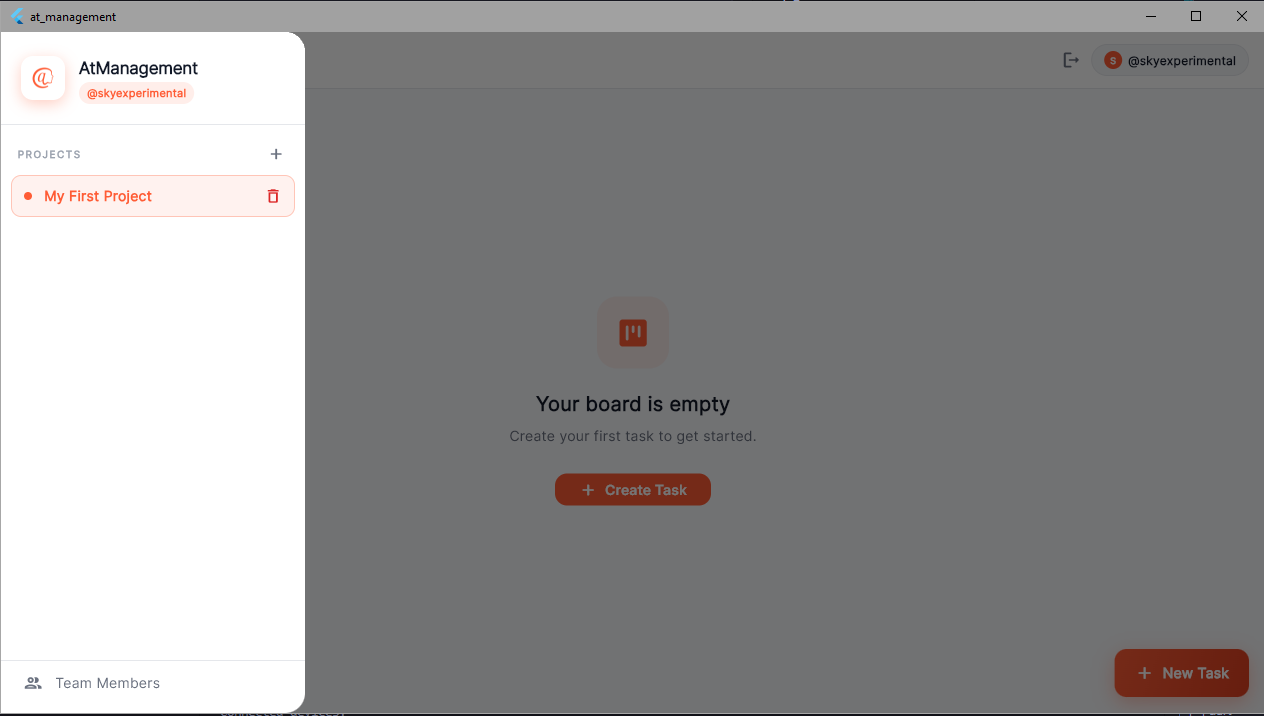
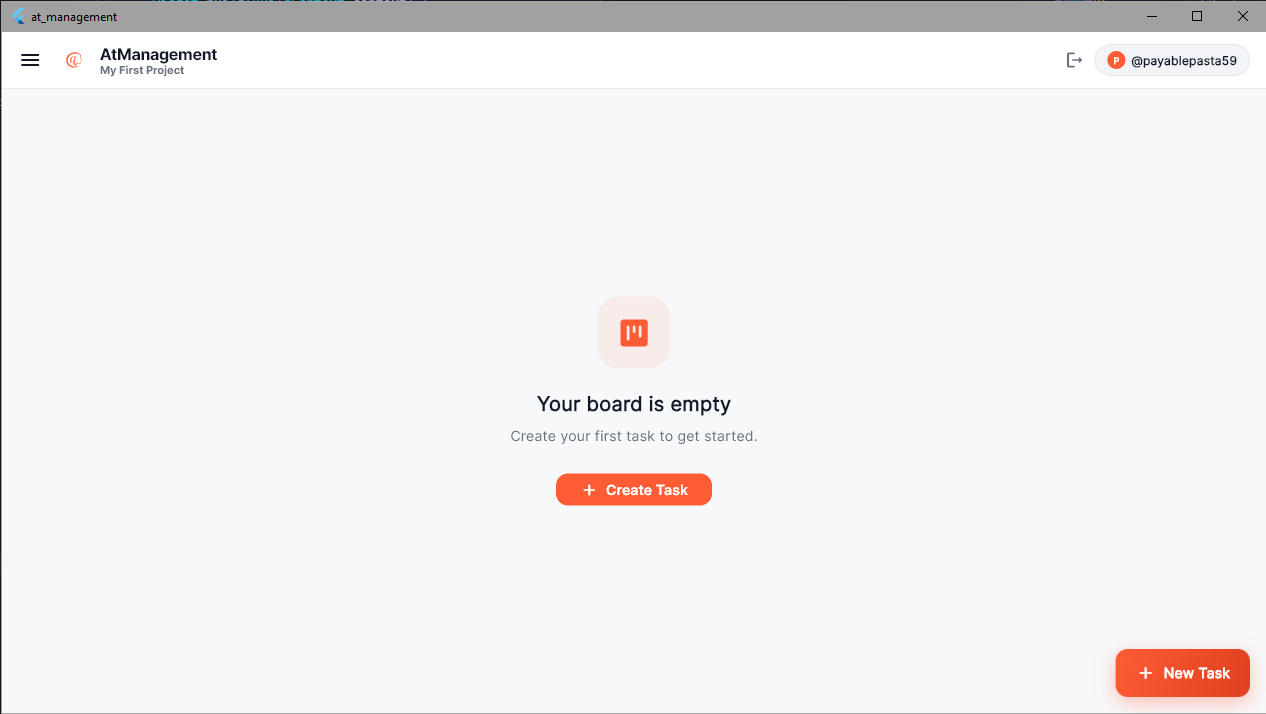
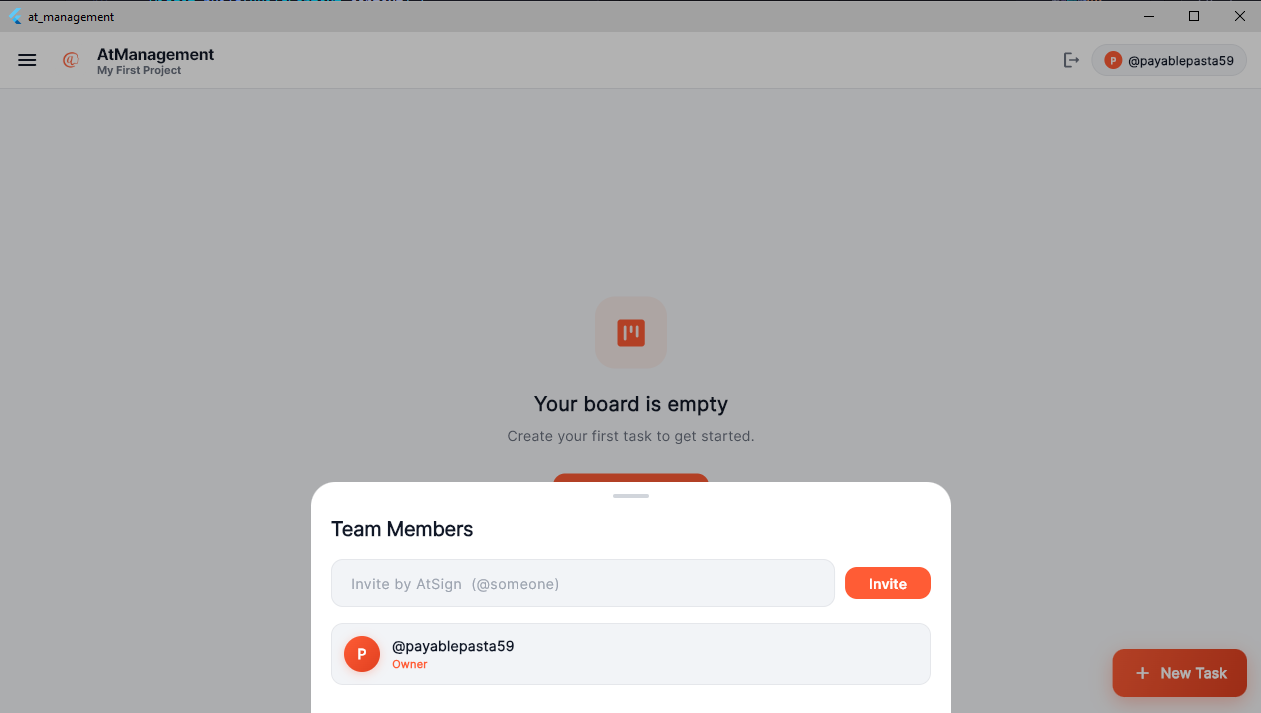
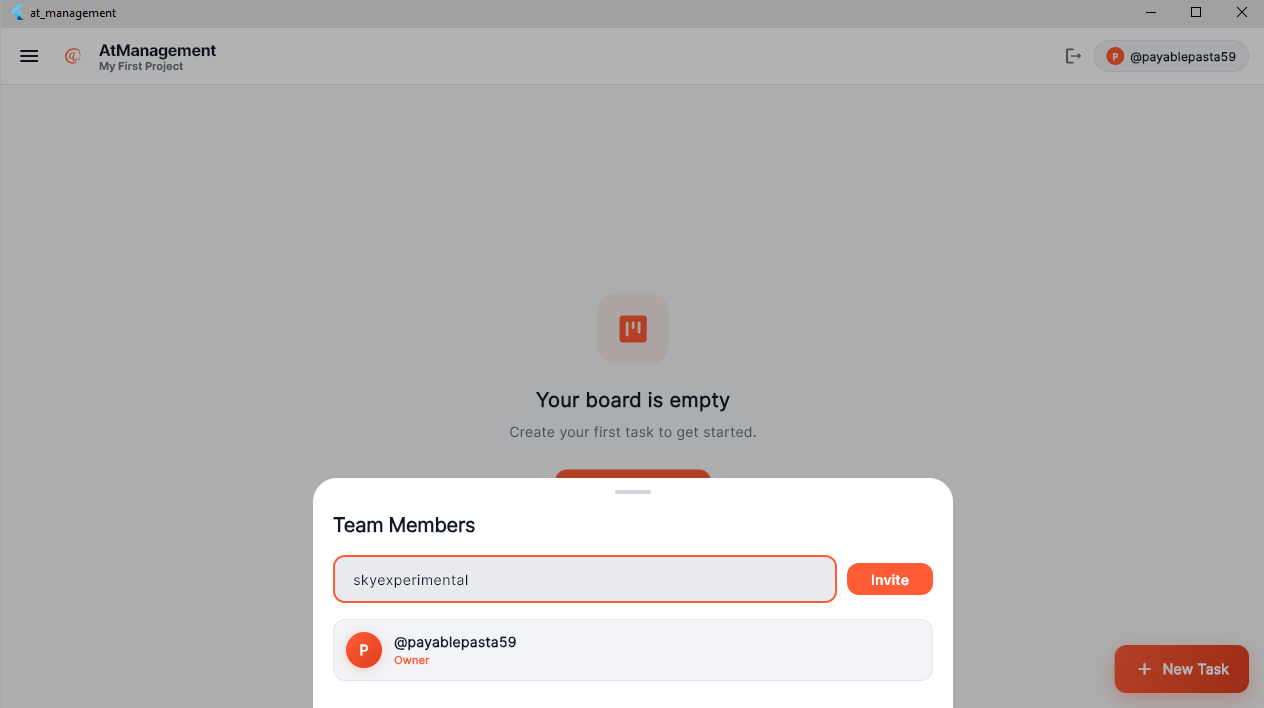
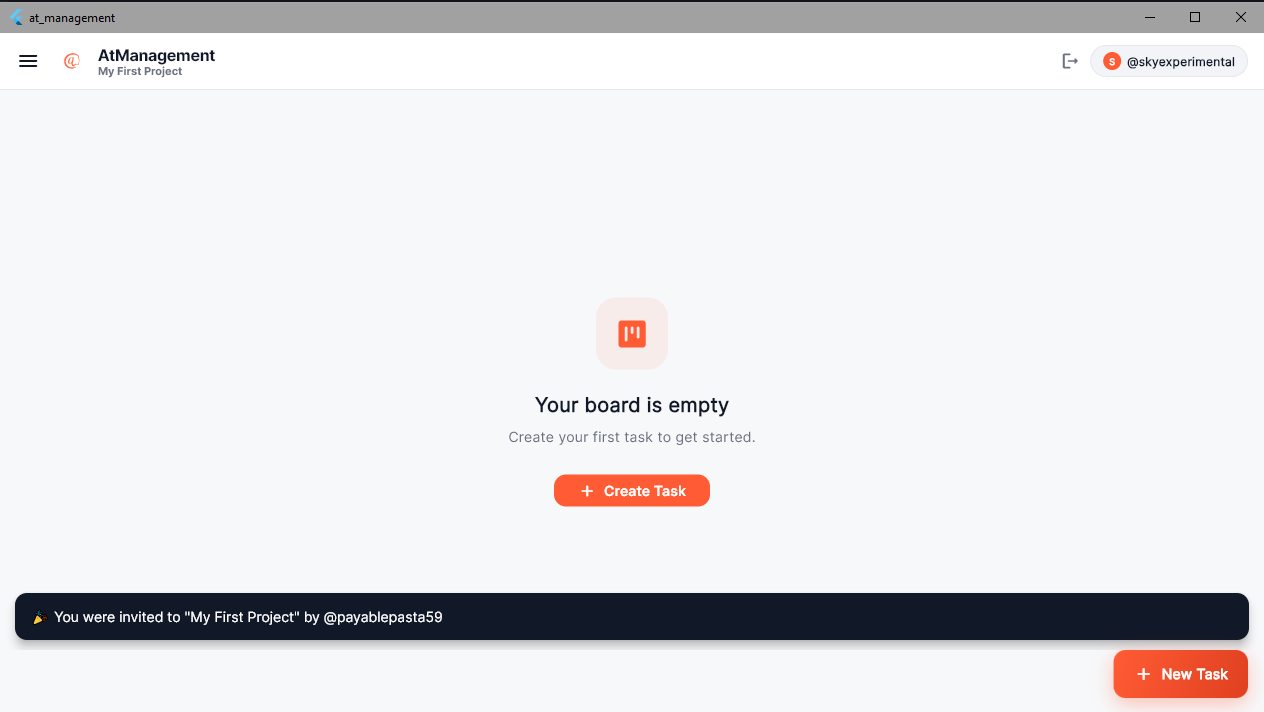
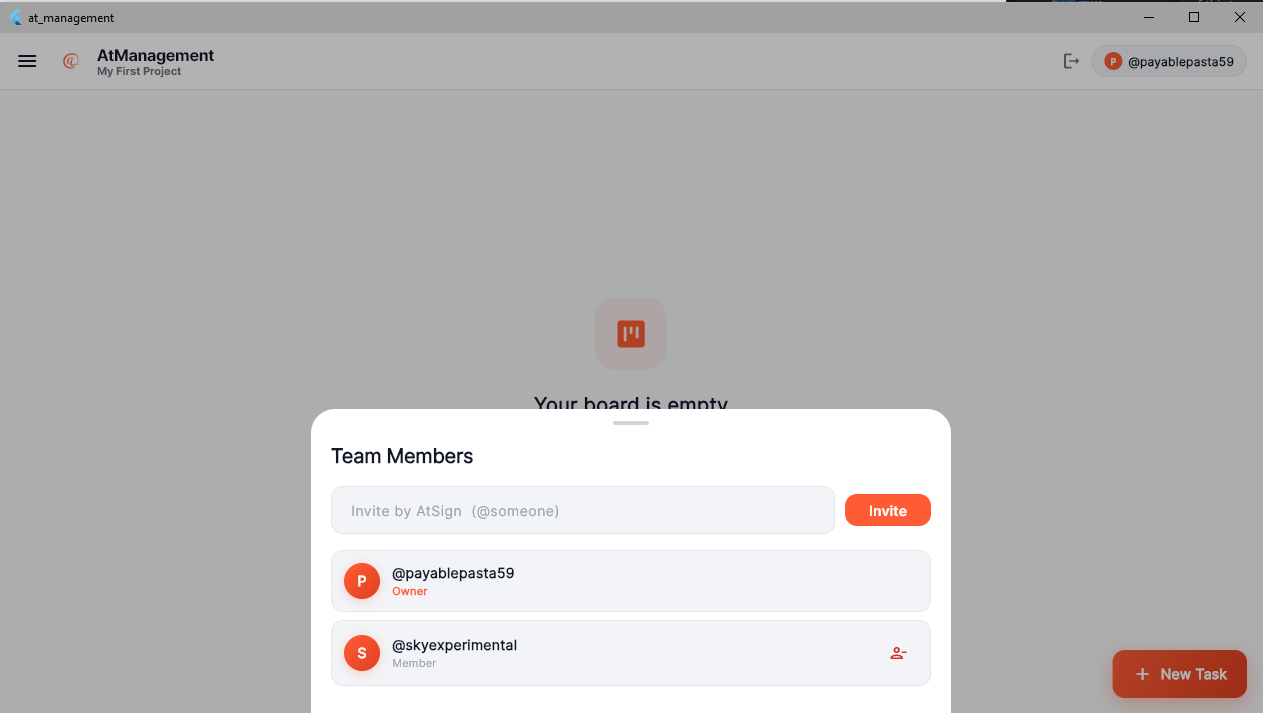
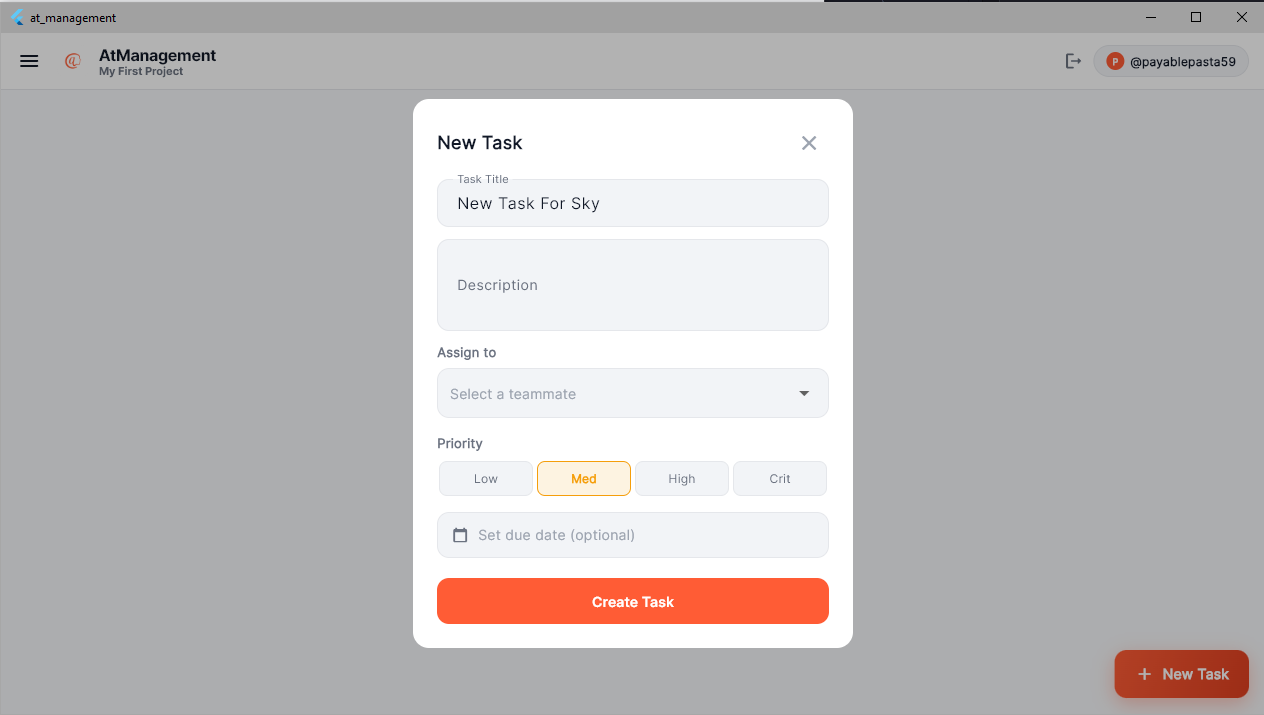
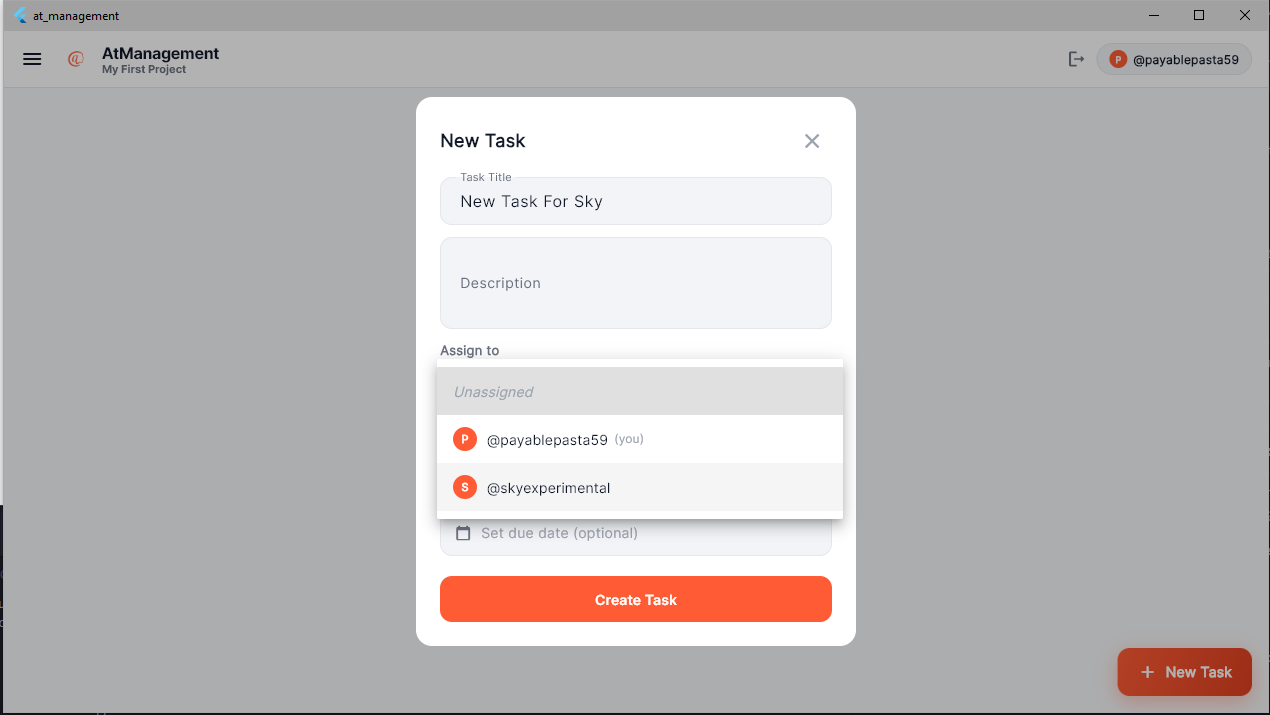
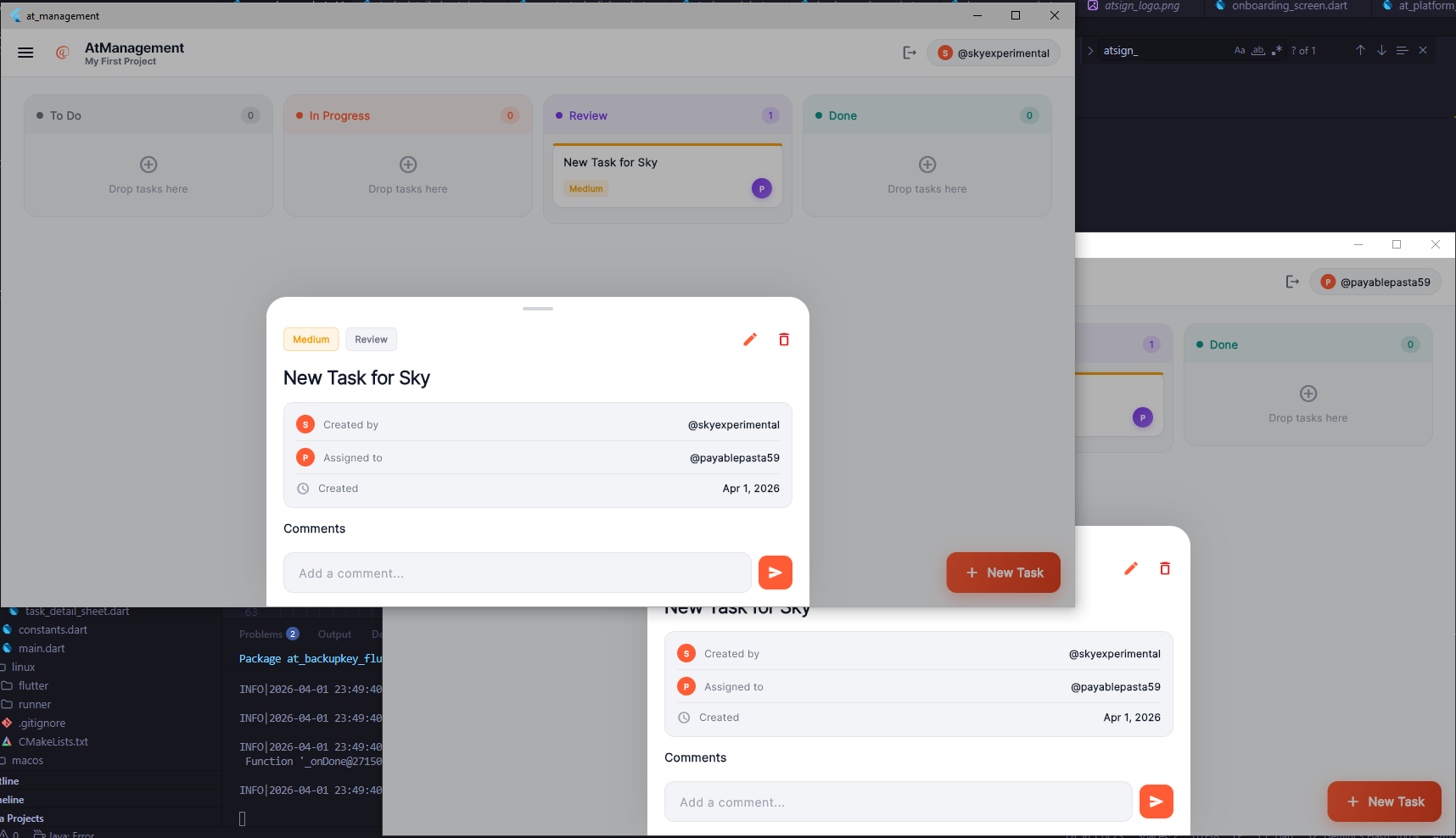
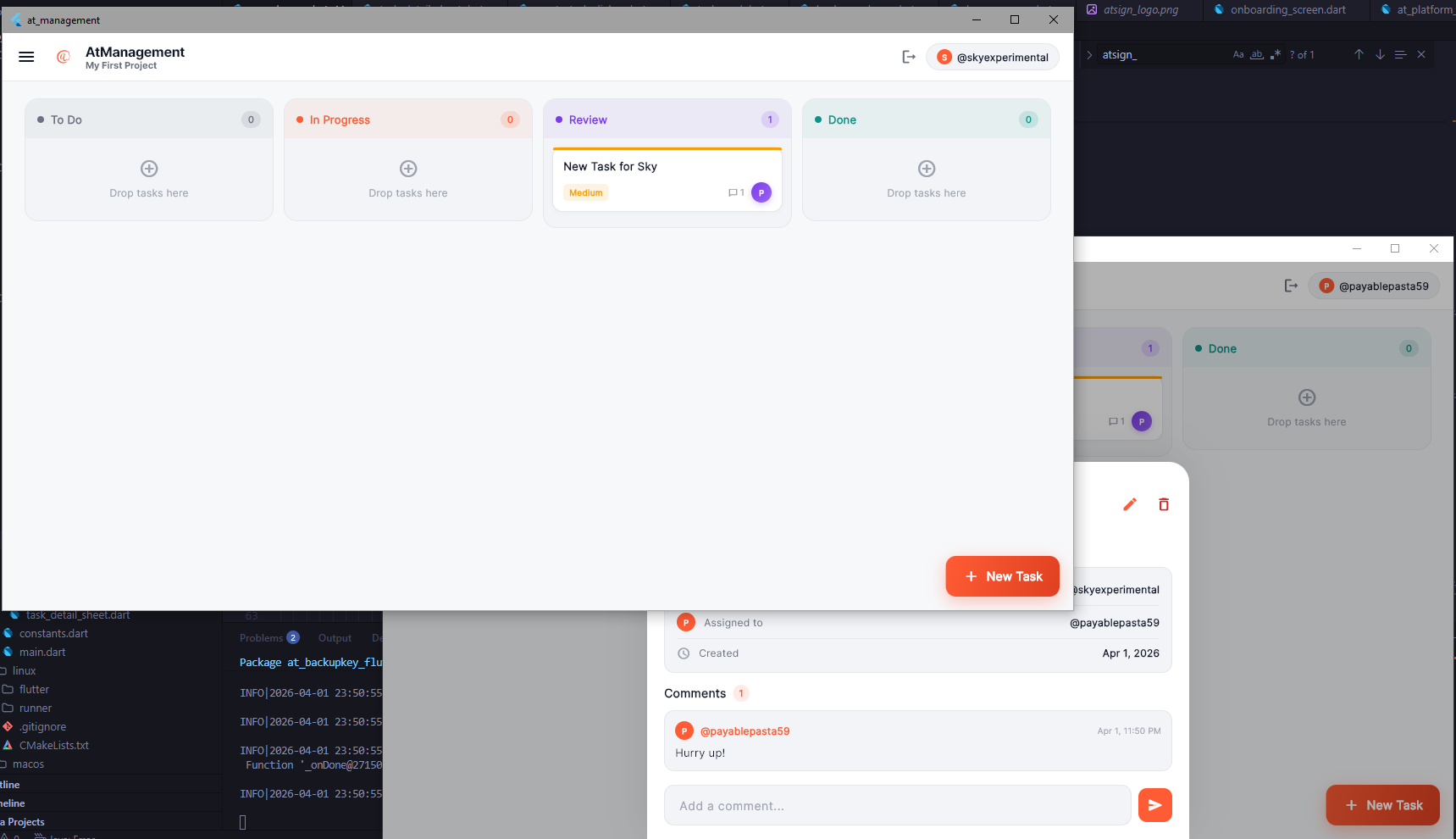
Screenshots of AtManagement in use:
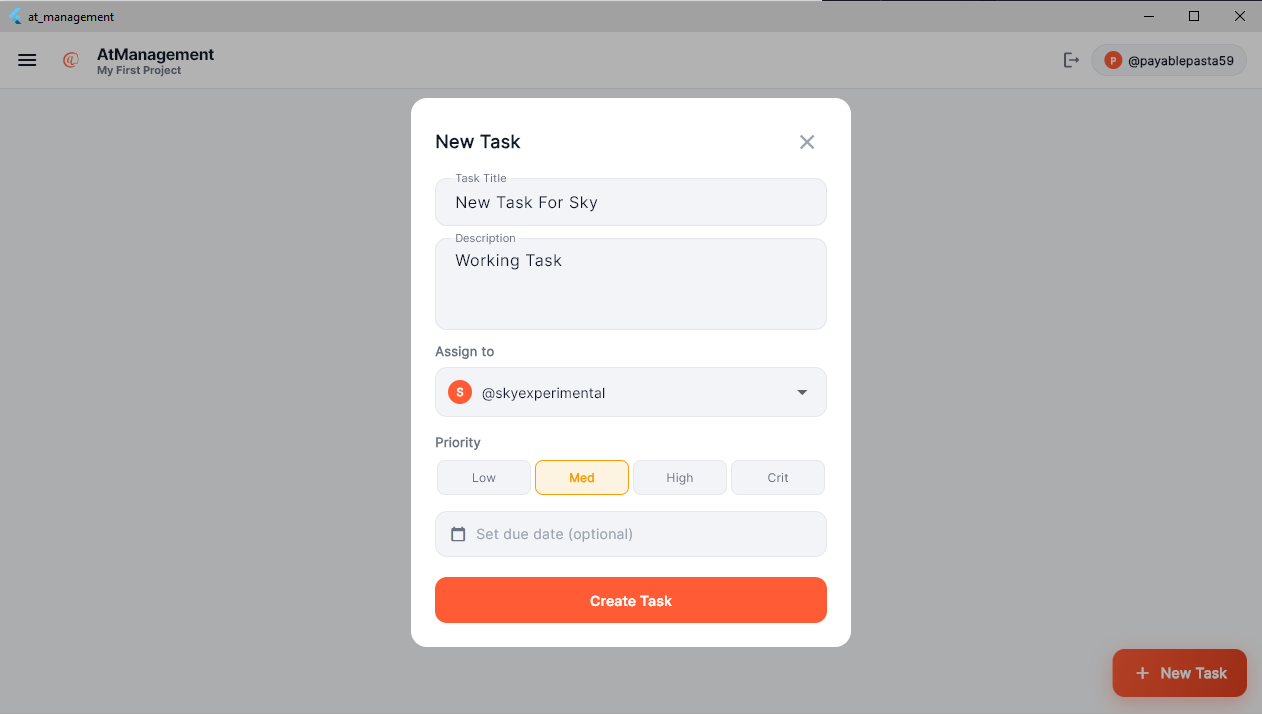
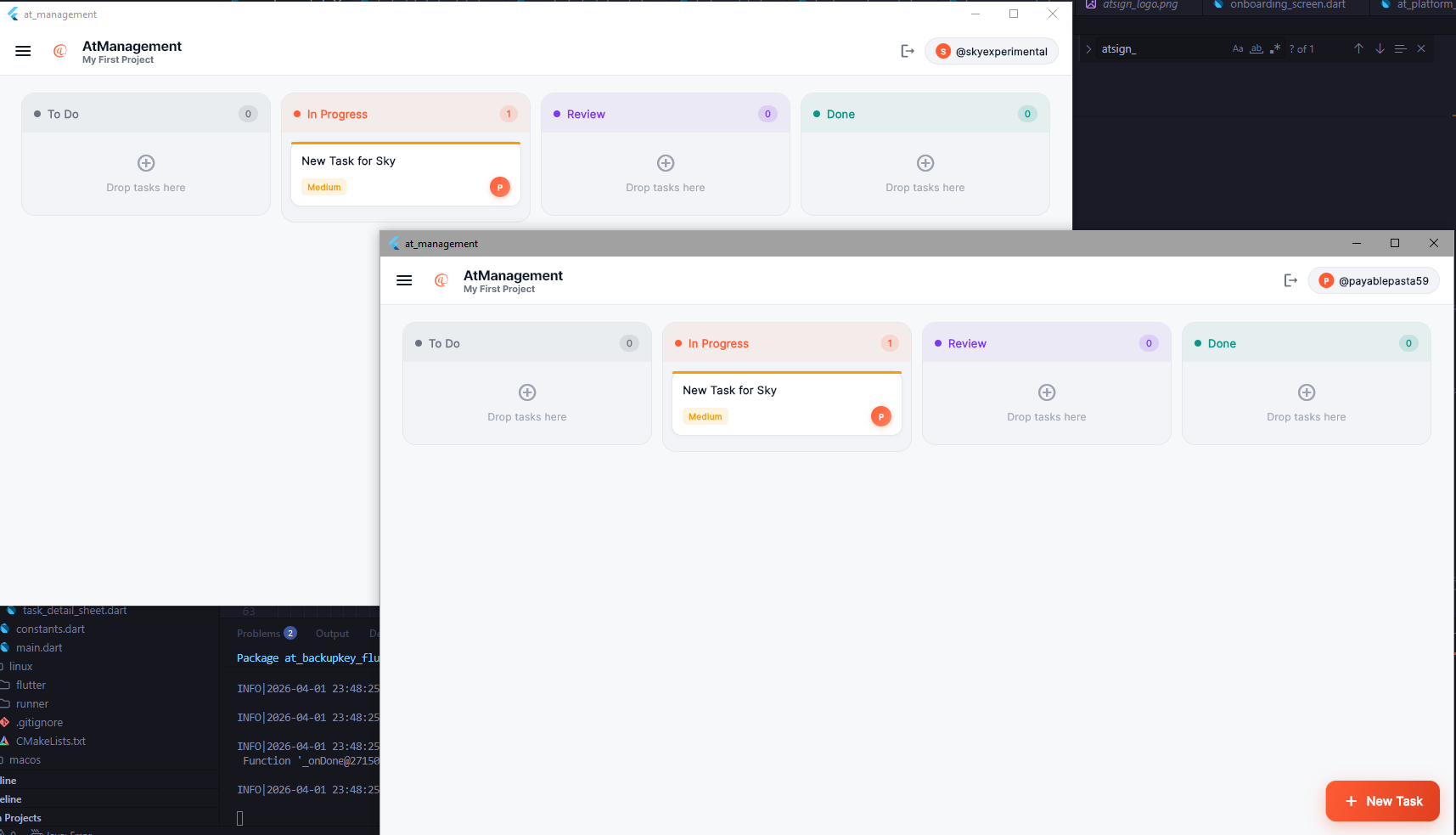
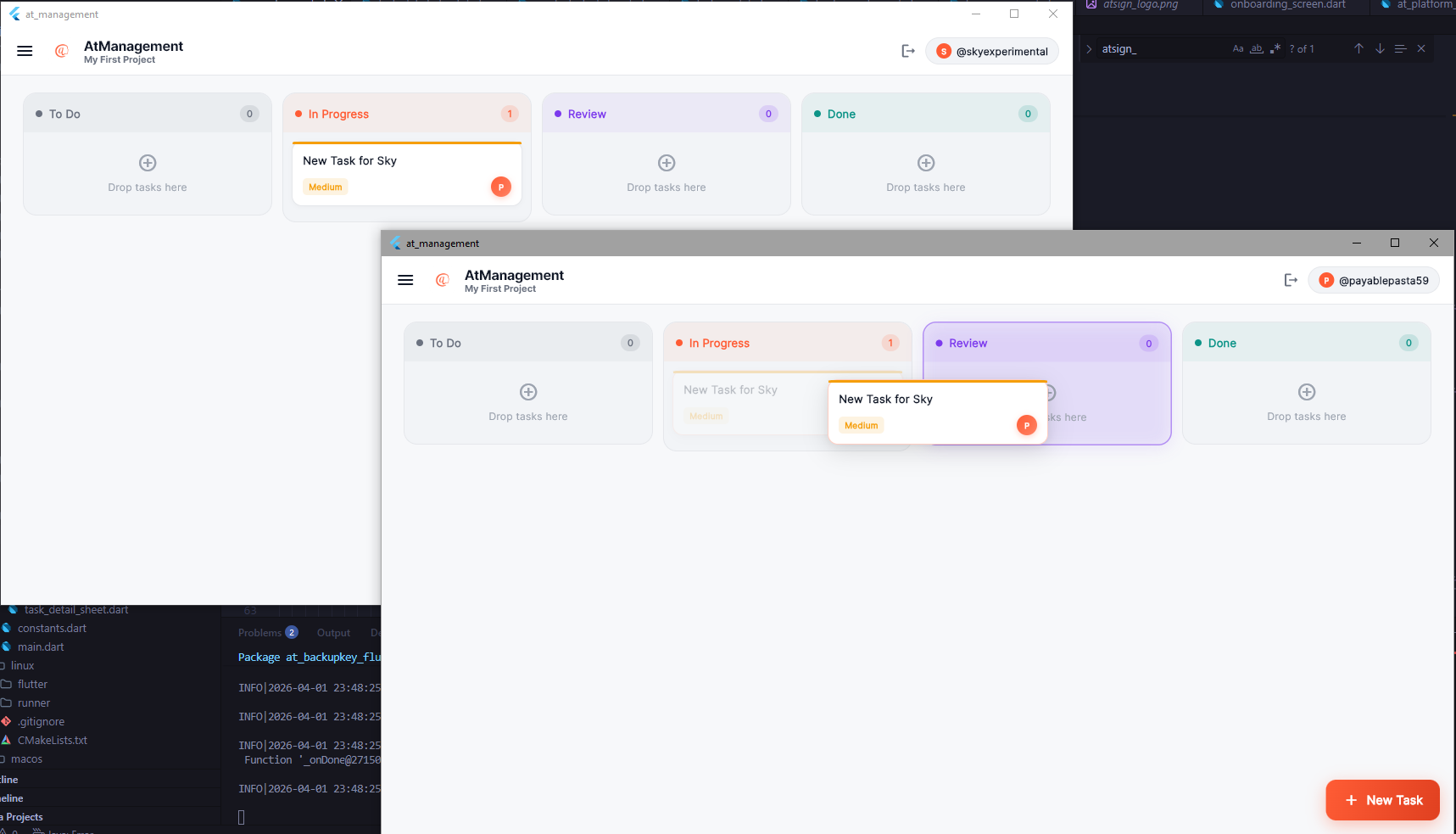
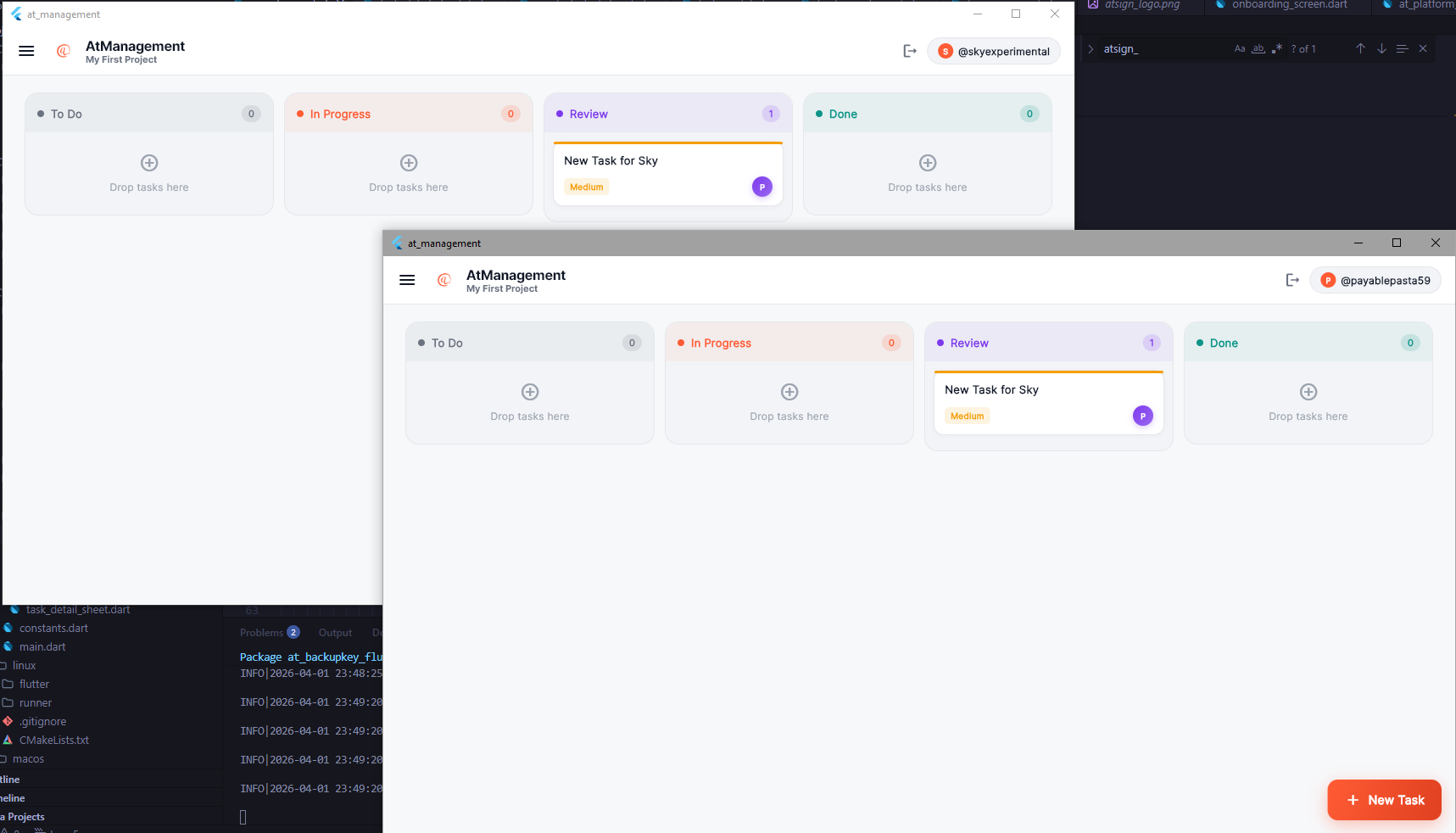
Below are screenshots of the project. The screenshots show me logging into the app with my atSign, then logging in on my other atsign. Creating a Team, and creating a task. You see live updating aswell.
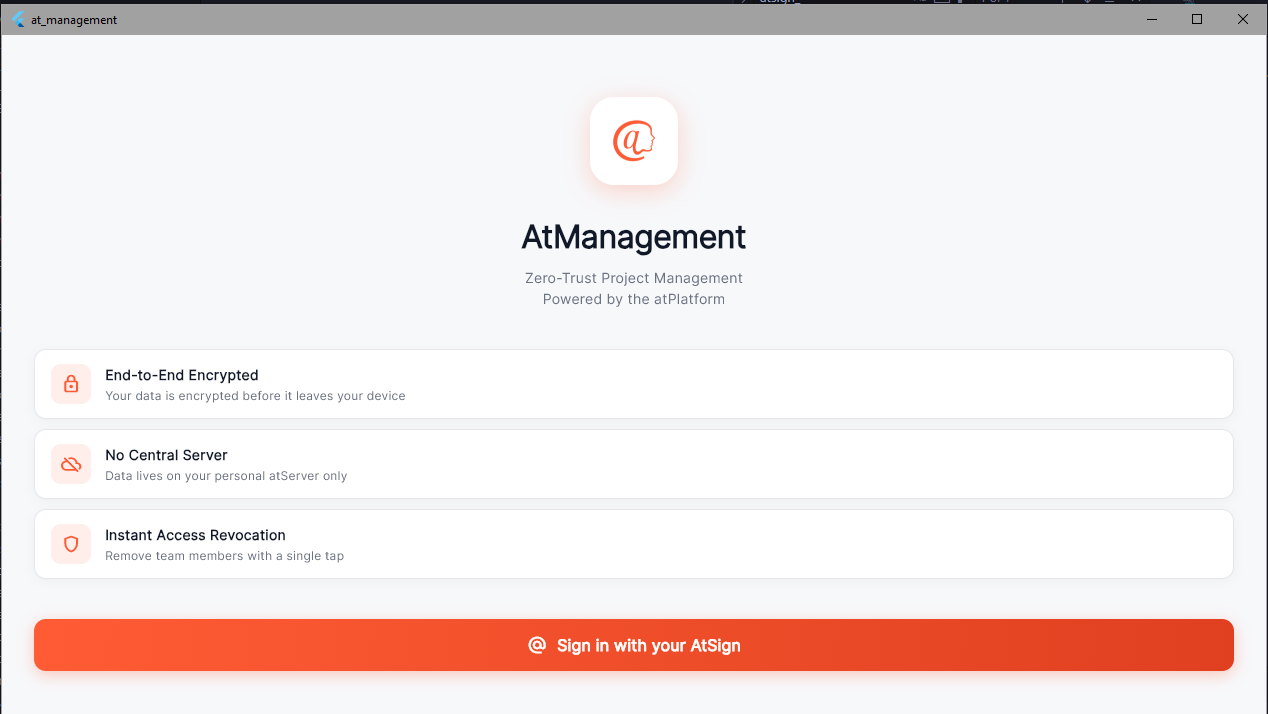
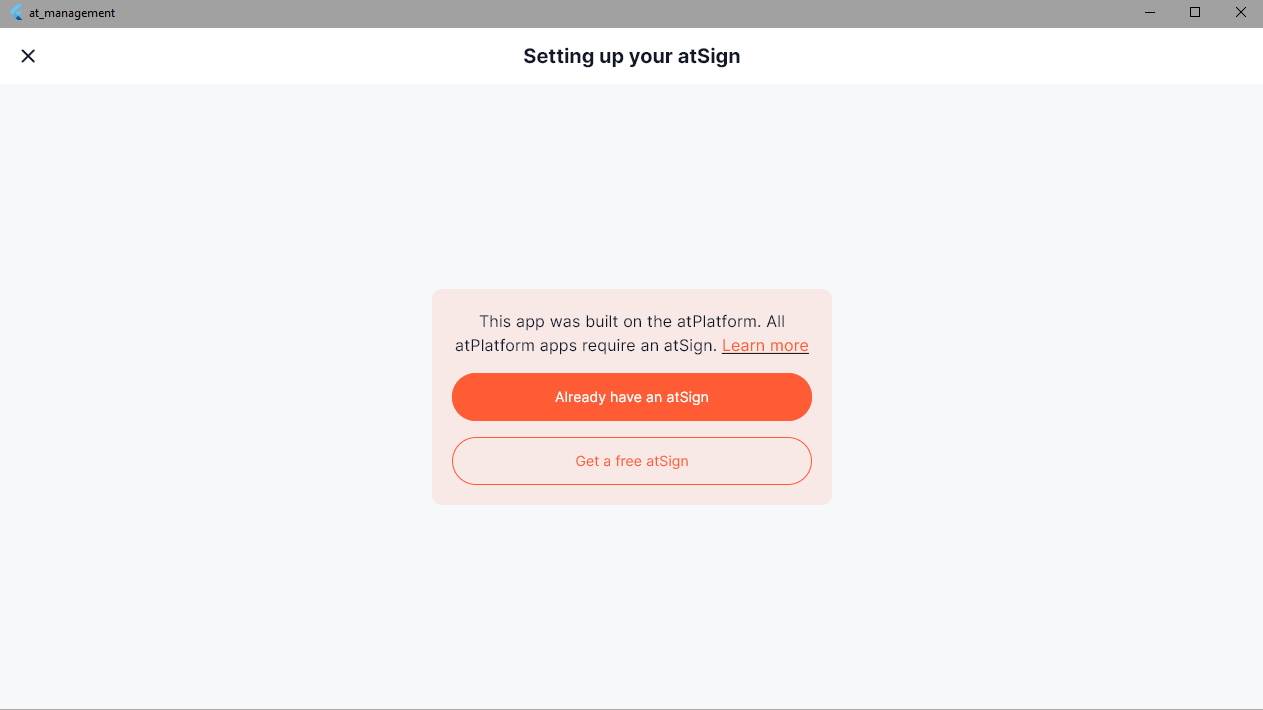
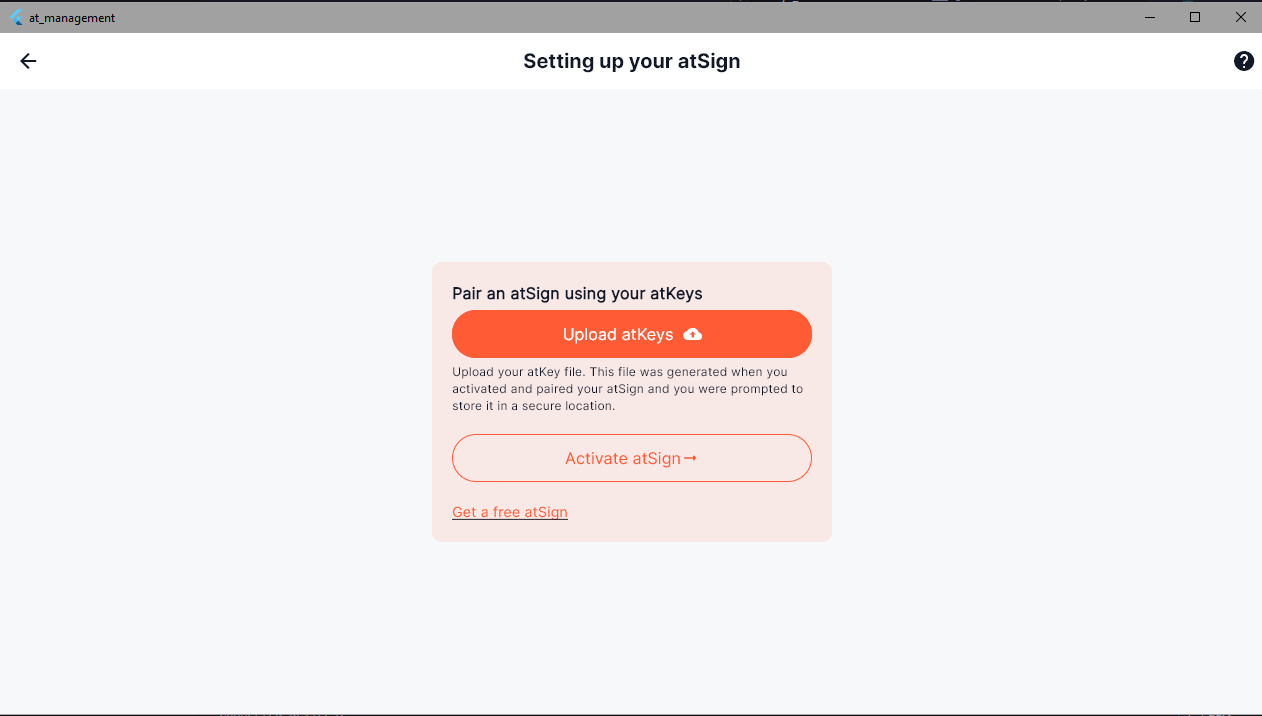
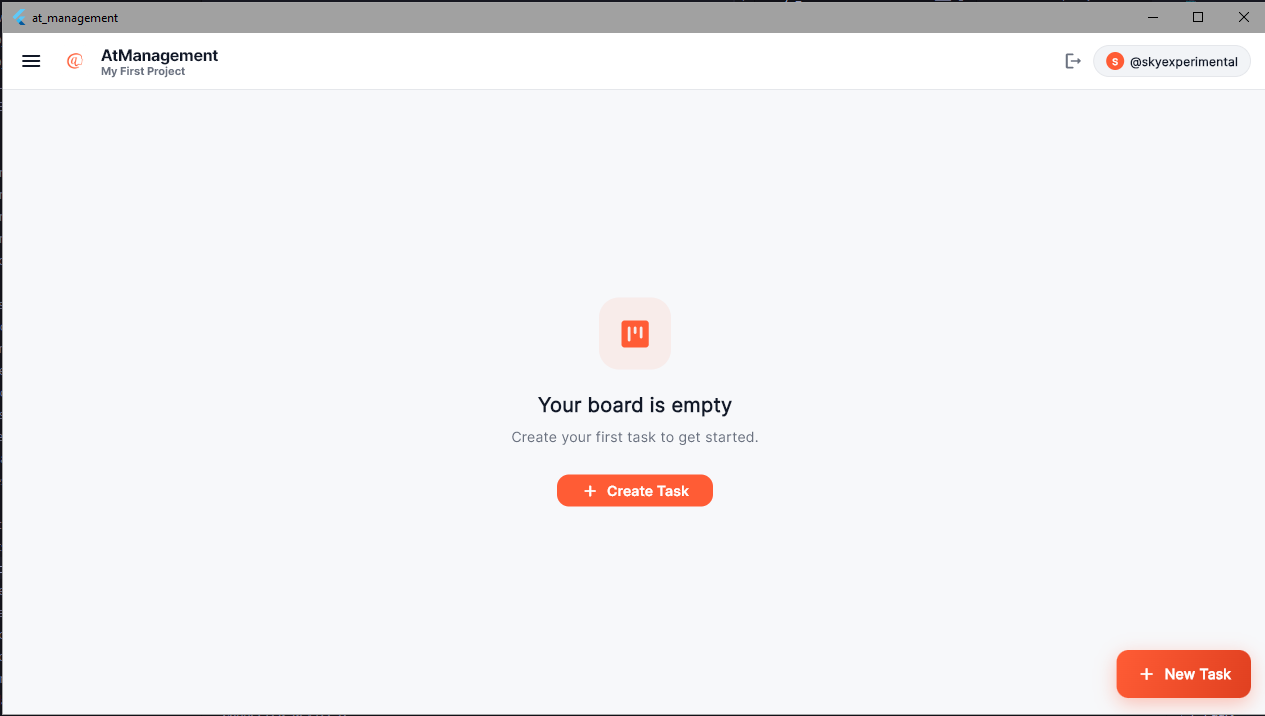
AI Architect
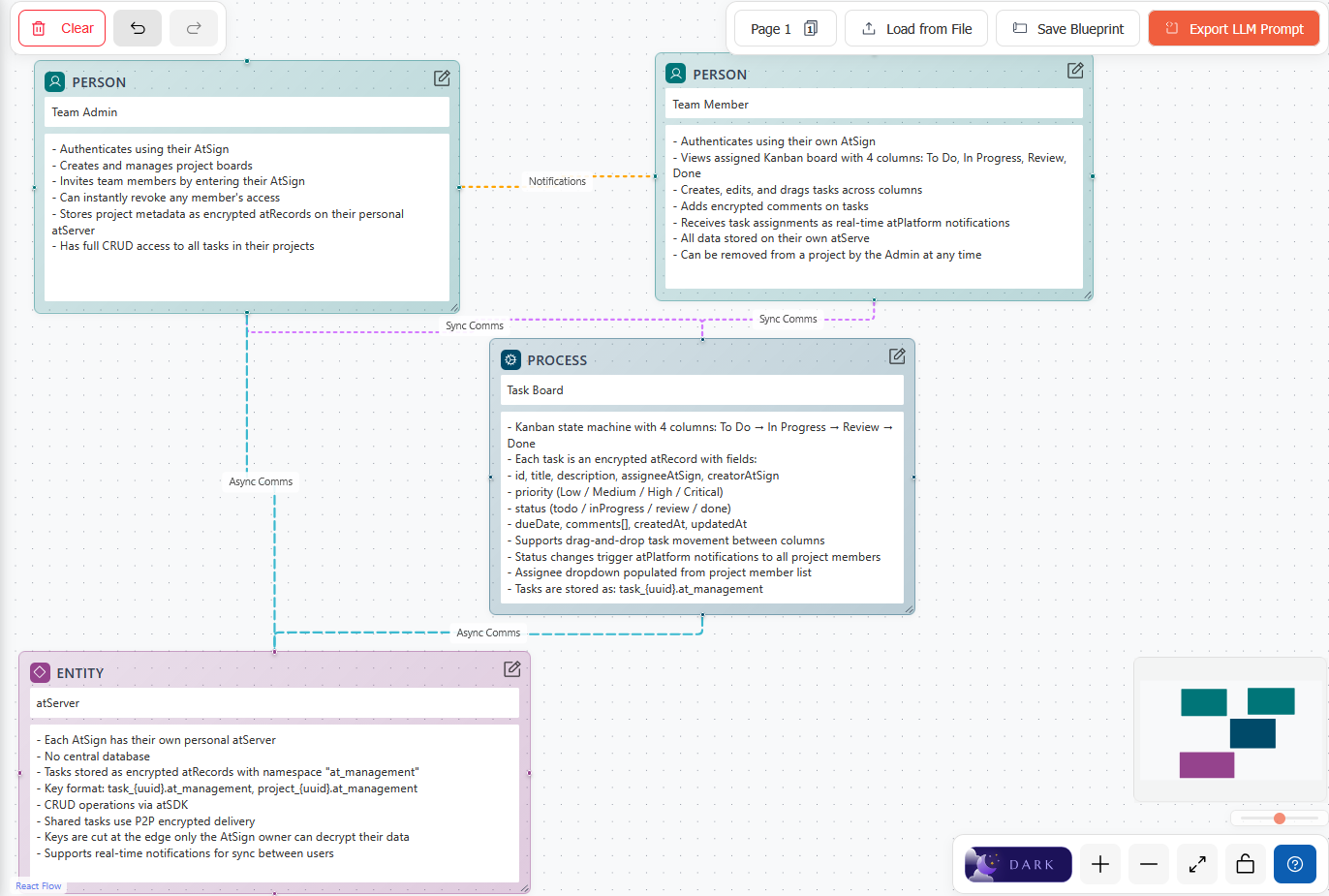
AIAI Architect Prompt based on my blueprint
[ AI ARCHITECT PROMPT ]
{
  "prompt": "You are building an application on the atPlatform (https://docs.atsign.com/core). Implement the application and any required agents as described in the JSON below.\n\n## Core SDK References\n- Primary SDK: at_client ^3.11.0 — https://pub.dev/packages/at_client\n- Flutter SDK: at_client_flutter ^1.0.1 — https://pub.dev/packages/at_client_flutter\n- All Atsign packages: https://pub.dev/packages?q=publisher%3Aatsign.org&sort=updated\n- Source code: https://github.com/atsign-foundation/at_client_sdk\n\n## Architecture Principles\n- Each person should have their own atSign (e.g. @alice, @bob) — this is the core identity unit.\n- Agents and applications can either have a dedicated atSign OR share an atSign with their owner, using namespaces for isolation. Multiple agents/apps on one atSign use different namespaces to keep their data separate.\n- Multiple instances of the same agent can run under a single atSign (see Multi-Agent Coordination below).\n- IoT devices can have their own atSign for autonomous operation, or be managed as keys under a person's atSign.\n- All data is end-to-end encrypted by default. Only the atSign owner holds the decryption keys.\n- There is NO application backend. atServers act as personal data stores and rendezvous points.\n- Use namespaces to separate application data (e.g. \"myapp\" becomes key.myapp@atsign).\n- Use AtKey with sharedWith to share encrypted data with specific atSigns.\n- Use AtKey with metadata.isPublic = true only for intentionally public data.\n- Do NOT store application data in local files. Store data as AtKeys so it automatically synchronizes across all of the atSign owner's devices. Local files are invisible to other devices; AtKeys flow via sync.\n\n## Initialization Pattern (Dart CLI / Agents)\n- Use AtClientManager.getInstance().setCurrentAtSign(atSign, namespace, preferences) to initialize.\n- Set AtClientPreference with rootDomain: AtRootDomain.atsignDomain, hiveStoragePath, commitLogPath, and namespace.\n- IMPORTANT: When running multiple agents or agent instances on the same machine, each MUST use a unique hiveStoragePath and commitLogPath (e.g. a temp directory with a UUID: Directory.systemTemp.createTempSync(\"agent_\").path). If two processes share the same hive path, the hive boxes will collide and throw errors.\n- For agent/CLI authentication use at_cli_commons (CLIBase): AtClient atClient = (await CLIBase.fromCommandLineArgs(args)).atClient; — handles arg parsing, atKeys loading, and PKAM auth in one line.\n- APKAM enrollment for new devices is supported via EnrollmentService in at_client.\n\n## Flutter App Requirements\n- Use at_client_flutter (NOT at_onboarding_flutter which is deprecated and unmaintained).\n- Model your auth/onboarding screen on the at_client_flutter example app: https://github.com/atsign-foundation/at_client_sdk/tree/trunk/packages/at_client_flutter/example\n  Study both main.dart (UI/navigation) and walkthrough.dart (all auth flows with error handling).\n\n### Welcome / Auth Screen (must support all four workflows)\n### Welcome / Auth Screen (must support all 4 workflows)\n1. **Login from Keychain**: KeychainStorage().getAllAtsigns() → AtSignSelectionDialog(existingAtSigns: list) → AtAuthRequest(atSign, atKeysIo: KeychainAtKeysIo()) → PkamDialog → setCurrentAtSign().\n2. **Onboard a New atSign (Registrar flow)**: Follow the `onboard()` function in walkthrough.dart from the at_client_flutter example app (https://github.com/atsign-foundation/at_client_sdk/tree/trunk/packages/at_client_flutter/example). Flow: AtSignSelectionDialog.show(context) → RegistrarCramDialog.show(context, authRequest as AtOnboardingRequest, registrar: registrar) → CramDialog.show(context, request: authRequest, cramKey: cramKey) → _setupAtClient(). Use RegistrarService(registrarUrl: \"my.atsign.com\", apiKey: \"5f93a2fa-2e3b-4332-9924-c29cc6e164ba\").\n3. **APKAM enrollment (new device)**: AtSignSelectionDialog → ApkamActivationDialog.show(atSign, rootDomain, appName, deviceName, namespaces) → waits for approval on an already-authorized device → AtAuthRequest(atSign, atAuthKeys: enrollmentResponse.atAuthKeys) → PkamDialog → setCurrentAtSign().\n\n4. **Login via .atKeys file**: AtKeysFileDialog.show() returns FileAtKeysIo → extract atSign from filename → AtAuthRequest(atSign, atKeysIo: fileAtKeysIo) → PkamDialog(backupKeys: [KeychainAtKeysIo()]) → setCurrentAtSign().\n### Post-Auth Setup (all workflows end here)\n- Get app support directory, create AtClientPreference with rootDomain, namespace, hiveStoragePath, commitLogPath.\n- Call AtClientManager.getInstance().setCurrentAtSign(atSign, namespace, prefs, atChops: response.atChops, atLookUp: response.atLookUp).\n\n### In-App atSign Management (in the authenticated UI)\n- **Switch atSign**: Let user pick a different atSign from the keychain and re-authenticate (KeychainStorage().getAllAtsigns() → select → re-auth).\n- **Logout**: Call AtClientManager.getInstance().reset() and navigate back to the auth screen.\n- **Delete atSign from device**: Call keychainStorage.removeAtsignFromKeychain(atSign) to remove keys, then navigate to auth screen.\n- **Export atKeys**: Let user save their keys to a file via FileAtKeysIo for backup.\n- **Clear all**: keychainStorage.deleteAllAtKeysData() to wipe all stored atSigns from this app.\n\n## AtKey Construction\n- Cascade: AtKey()..key = \"name\"..namespace = \"app\"..sharedWith = \"@bob\" — matches official examples.\n- Typed builders (preferred for type safety): AtKey.self(\"name\"), AtKey.shared(\"name\", namespace: \"app\"), AtKey.public(\"name\"), AtKey.local(\"name\", \"@alice\").\n- AtKey.fromString(\"@bob:name.app@alice\") to parse a full atProtocol key string.\n- All key names are forced lowercase. Values remain case-sensitive.\n\n## Data Operations\nIMPORTANT: Always store application data as AtKeys rather than writing to local files. AtKeys automatically synchronize across all of the atSign owner's devices over time. Local files stay on a single machine and break the atPlatform's multi-device data flow model.\n- put(AtKey, value, {PutRequestOptions? putRequestOptions}): Store/share data. Use sharedWith for encrypted sharing with another atSign.\n  IMPORTANT: To send data directly to the remote (cloud) secondary server, pass putRequestOptions: PutRequestOptions()..useRemoteAtServer = true. Without this, put() writes only to the local secondary and waits for sync.\n- get(AtKey, {GetRequestOptions? getRequestOptions}): Retrieve data. Returns AtValue with .value property.\n  IMPORTANT: To read from the remote secondary rather than the local cache, pass getRequestOptions: GetRequestOptions()..useRemoteAtServer = true. Use ..bypassCache = true to skip cached data from other atSigns.\n- delete(AtKey, {DeleteRequestOptions? deleteRequestOptions}): Remove data. Pass DeleteRequestOptions()..useRemoteAtServer = true to delete directly from the cloud secondary.\n- uploadFile / downloadFile / shareFiles: Built-in file transfer methods on AtClient — no separate package needed.\n- notificationService.notify(NotificationParams.forUpdate(key, value: data)): Push data to another atSign in near real-time. NOTE: NotificationParams.forText() is deprecated — use forUpdate() instead.\n- notificationService.subscribe(regex: pattern, shouldDecrypt: true): Listen for incoming notifications.\n- KeyStream / ListKeyStream / MapKeyStream / SetKeyStream: Reactive stream-based key watching — subscribe to live changes on specific keys or key patterns.\n- For RPC patterns use the built-in AtRpc / AtRpcClient classes (production-ready since 3.9.1, not experimental).\n\n## Multi-Agent Coordination\nWhen building agents that may run as multiple instances (for load balancing or redundancy), two proven patterns exist:\n### Pattern 1: Immutable Mutex Race\n- Create an AtKey with Metadata()..immutable = true and a short ..ttl (e.g. 60000ms).\n- Each agent instance tries to put() this key with useRemoteAtServer = true when a task arrives.\n- Only the first put() succeeds (the immutable flag causes subsequent puts to throw). The winner processes the task; losers skip it.\n- This gives automatic distributed locking with no external coordination service. The TTL auto-cleans the mutex key.\n- Reference: https://github.com/cconstab/personalagent/blob/main/agent/lib/services/at_platform_service.dart\n### Pattern 2: Ephemeral Stateless Instances (NoOp Sync)\n- Use ServiceFactoryWithNoOpSyncService() when creating the AtClient — this disables the sync service entirely.\n- Use per-session ephemeral storage — each instance MUST have a unique hiveStoragePath and commitLogPath (e.g. Directory.systemTemp.createTempSync(\"agent_\").path). If two instances share the same hive path on the same machine, the hive boxes will collide and throw errors.\n- Each instance subscribes to notifications and handles sessions independently, routed by unique session IDs.\n- No mutex needed because work is partitioned by session/notification routing, not raced for.\n- This is the pattern used by srvd, sshnpd, and npp in NoPorts.\n- Reference: https://github.com/atsign-foundation/noports/blob/trunk/packages/dart/sshnoports/bin/srvd.dart\n\n## Networking, File Transfer & Access Control\nThese patterns extend the atPlatform beyond data sharing into TCP connectivity, bulk file movement, and policy enforcement:\n\n### E2E Encrypted TCP Tunnels (NoPorts)\nUse noports_core to create E2E encrypted TCP connections with zero open inbound ports on either side.\nA local listening socket tunnels traffic through the atPlatform to a remote device — no firewall changes needed.\n- Pub package: noports_core. Key class: Npt. CLI: npt binary.\n- Requires a socket rendezvous (srvd) atSign and a daemon on the remote device.\n- Docs: https://docs.noports.com/ and https://pub.dev/packages/noports_core\n\n### Encrypted File Transfer\nFor bulk file transfer: encrypt the file client-side, upload the encrypted blob to a web file service, then send the URL and encryption key to the recipient as an encrypted AtKey. The recipient downloads the blob and decrypts locally.\n- For simpler cases use atClient.uploadFile() / downloadFile() / shareFiles() which handle encryption automatically.\n- Store config (e.g. storage server URL) as AtKeys — never local files.\n- Reference implementation: https://github.com/cconstab/furl\n\n### Policy Enforcement (NPA/NPP)\nFor access control: run a policy service on a dedicated atSign that receives authorization requests via AtRpc and returns allow/deny decisions.\n- Policy data is stored as encrypted AtKeys — never local files. Syncs across devices automatically.\n- The pattern is reusable for any authorization logic. See NoPorts NPA/NPP for a working implementation.\n- Reference: https://github.com/atsign-foundation/noports (npp_atserver.dart, npp.dart)\n\n## Key Conventions\n- Document all AtKey naming conventions, namespaces, and data flows in the generated code comments.\n- Document how to create and manage atKeys files for agents and applications.\n- Use meaningful key names: e.g. \"temperature.iot\" not \"data123\".\n- Use AtKey.local() for data that should never sync to the cloud secondary.\n- The isDedicated parameter on put()/get() is deprecated and ignored — do not use it.\n- CAUTION: at_stream is pre-release (0.1.0-dev.1) and not recommended for production. Use built-in KeyStream classes or notificationService.subscribe() for reactive patterns instead.\n\n## Project Continuity\nWhen generating code from this specification, create two files:\n\n### ATPLATFORM_GUIDELINES.md (platform reference)\nCreate ATPLATFORM_GUIDELINES.md in the project root as a pure atPlatform SDK reference. This file is the single source of truth for future LLM sessions — they will read it before making changes.\n- IMPORTANT: You MUST include EVERY section from this prompt in that file, even sections that are not used by the current application (e.g. Encrypted File Transfer, Policy Enforcement, Multi-Agent Coordination). They serve as a reference for future development and must not be omitted.\n- The required sections are: Core SDK References, Architecture Principles, Initialization Pattern, Flutter App Requirements, AtKey Construction, Data Operations, Multi-Agent Coordination (both patterns), Networking File Transfer & Access Control (TCP Tunnels, Encrypted File Transfer, Policy Enforcement), Key Conventions, and Project Continuity.\n- Do NOT put project-specific details (data flows, key tables, node mappings etc.) in this file — those belong in README.md.\n- At the top of the file add: \"Generated by AI Architect — https://aiarchitect.atsign.com/\"\n- At the bottom add: \"To update these guidelines, open your diagram in the latest version of AI Architect and re-export. Newer versions may have updated SDK references, patterns, and best practices.\"\n- If an ATPLATFORM_GUIDELINES.md already exists in the project, compare it with the current prompt. If the current prompt is newer or more complete, update the file. Preserve any developer-added \"## Project Notes\" section.\n\n### README.md (project documentation)\nCreate or update README.md with all project-specific details: node/atSign mappings, namespace, data flow diagrams, notification key tables, JSON formats, and any application-specific configuration. This is where developers and future LLM sessions learn what this particular application does and how its data flows.\n",
  "notes": [],
  "pages": [
    {
      "name": "Page 1",
      "nodes": [
        {
          "id": "node_1774845825461_jvqf5d46q",
          "type": "person",
          "label": "Team Admin",
          "notes": "- Authenticates using their AtSign \n- Creates and manages project boards\n- Invites team members by entering their AtSign\n- Can instantly revoke any member's access \n- Stores project metadata as encrypted atRecords on their personal atServer\n- Has full CRUD access to all tasks in their projects",
          "role": "Each person gets their own atSign. Use AtClientManager.getInstance().setCurrentAtSign() to initialize their client. They own their data and control sharing via AtKey.sharedWith."
        },
        {
          "id": "node_1774845836629_n2kq461fl",
          "type": "person",
          "label": "Team Member",
          "notes": "- Authenticates using their own AtSign\n- Views assigned Kanban board with 4 columns: To Do, In Progress, Review, Done\n- Creates, edits, and drags tasks across columns\n- Adds encrypted comments on tasks\n- Receives task assignments as real-time atPlatform notifications\n- All data stored on their own atServe\n- Can be removed from a project by the Admin at any time",
          "role": "Each person gets their own atSign. Use AtClientManager.getInstance().setCurrentAtSign() to initialize their client. They own their data and control sharing via AtKey.sharedWith."
        },
        {
          "id": "node_1774845851473_sgoq5xgwj",
          "type": "process",
          "label": "Task Board",
          "notes": "- Kanban state machine with 4 columns: To Do → In Progress → Review → Done\n- Each task is an encrypted atRecord with fields:\n  - id, title, description, assigneeAtSign, creatorAtSign\n  - priority (Low / Medium / High / Critical)\n  - status (todo / inProgress / review / done)\n  - dueDate, comments[], createdAt, updatedAt\n- Supports drag-and-drop task movement between columns\n- Status changes trigger atPlatform notifications to all project members\n- Assignee dropdown populated from project member list\n- Tasks are stored as: task_{uuid}.at_management",
          "role": "Implement processes as Dart functions or agents that read/write AtKeys — never local files (AtKeys sync across devices, local files do not). Use notificationService.subscribe() to trigger processes on incoming data, and put()/notify() to output results. For multi-instance agents on the same machine, each must use a unique hive storage path (e.g. Directory.systemTemp.createTempSync). Use an immutable mutex (Metadata()..immutable=true + useRemoteAtServer) so only one instance handles each task, or use ServiceFactoryWithNoOpSyncService() with per-instance ephemeral storage for stateless scaling."
        },
        {
          "id": "node_1774845886544_dk4shgpqx",
          "type": "entity",
          "label": "atServer",
          "notes": "- Each AtSign has their own personal atServer \n- No central database\n- Tasks stored as encrypted atRecords with namespace \"at_management\"\n- Key format: task_{uuid}.at_management, project_{uuid}.at_management\n- CRUD operations via atSDK\n- Shared tasks use P2P encrypted delivery\n- Keys are cut at the edge only the AtSign owner can decrypt their data\n- Supports real-time notifications for sync between users",
          "role": "Represent entities as namespaced AtKeys. Use AtKey.shared(\"data\", namespace: \"app\") or AtKey()..key=\"data\"..namespace=\"app\"..sharedWith=\"@other\" to store and share entity data end-to-end encrypted. Use KeyStream to reactively watch for changes."
        }
      ],
      "connections": [
        {
          "from": "Team Admin",
          "fromId": "node_1774845825461_jvqf5d46q",
          "to": "Team Member",
          "toId": "node_1774845836629_n2kq461fl",
          "type": "notification",
          "notes": "",
          "hint": "For near real-time event-driven communication between atSigns. Receiver subscribes with: atClient.notificationService.subscribe(regex: \"pattern\", shouldDecrypt: true).listen((notification) { ... }). Sender pushes with: atClient.notificationService.notify(NotificationParams.forUpdate(key, value: data)). Notifications are lightweight, support regex filtering, and auto-reconnect on network loss. See: https://pub.dev/documentation/at_client/latest/at_client/NotificationService/subscribe.html"
        },
        {
          "from": "Team Admin",
          "fromId": "node_1774845825461_jvqf5d46q",
          "to": "Task Board",
          "toId": "node_1774845851473_sgoq5xgwj",
          "type": "sync",
          "notes": "",
          "hint": "Use notificationService.notify() with NotificationParams.forUpdate(key, value: data) to send data and wait for a delivery confirmation. The sender gets a NotificationResult indicating delivered/errored status. Best when you need confirmation that the remote atSign received the data. Combine with notificationService.subscribe() on the receiving side. See: https://pub.dev/documentation/at_client/latest/at_client/NotificationService/notify.html"
        },
        {
          "from": "Team Member",
          "fromId": "node_1774845836629_n2kq461fl",
          "to": "Task Board",
          "toId": "node_1774845851473_sgoq5xgwj",
          "type": "sync",
          "notes": "",
          "hint": "Use notificationService.notify() with NotificationParams.forUpdate(key, value: data) to send data and wait for a delivery confirmation. The sender gets a NotificationResult indicating delivered/errored status. Best when you need confirmation that the remote atSign received the data. Combine with notificationService.subscribe() on the receiving side. See: https://pub.dev/documentation/at_client/latest/at_client/NotificationService/notify.html"
        },
        {
          "from": "Task Board",
          "fromId": "node_1774845851473_sgoq5xgwj",
          "to": "atServer",
          "toId": "node_1774845886544_dk4shgpqx",
          "type": "async",
          "notes": "",
          "hint": "Use atClient.put() to store data for another atSign without requiring them to be online — the data is written to your atServer and synced to theirs when they next connect. The receiving atSign retrieves it later with atClient.get(). This is fire-and-forget: ideal when you do not know if the recipient is online. IMPORTANT: By default put() writes to the local secondary and syncs later. To write directly to the cloud secondary, pass putRequestOptions: PutRequestOptions()..useRemoteAtServer = true. Similarly for get(), pass getRequestOptions: GetRequestOptions()..useRemoteAtServer = true to read from the remote secondary, or ..bypassCache = true to skip cached data from other atSigns. See: https://pub.dev/documentation/at_client/latest/at_client/AtClient/put.html and https://pub.dev/documentation/at_client/latest/at_client/GetRequestOptions-class.html"
        },
        {
          "from": "Team Admin",
          "fromId": "node_1774845825461_jvqf5d46q",
          "to": "atServer",
          "toId": "node_1774845886544_dk4shgpqx",
          "type": "async",
          "notes": "",
          "hint": "Use atClient.put() to store data for another atSign without requiring them to be online — the data is written to your atServer and synced to theirs when they next connect. The receiving atSign retrieves it later with atClient.get(). This is fire-and-forget: ideal when you do not know if the recipient is online. IMPORTANT: By default put() writes to the local secondary and syncs later. To write directly to the cloud secondary, pass putRequestOptions: PutRequestOptions()..useRemoteAtServer = true. Similarly for get(), pass getRequestOptions: GetRequestOptions()..useRemoteAtServer = true to read from the remote secondary, or ..bypassCache = true to skip cached data from other atSigns. See: https://pub.dev/documentation/at_client/latest/at_client/AtClient/put.html and https://pub.dev/documentation/at_client/latest/at_client/GetRequestOptions-class.html"
        }
      ]
    }
  ]
}
This is the prompt I gave to AI Architect to generate the architectural overview of my project. I did not use it for this project but I used AI Architecture to learn the technology.
Add a 16:9 1080p width image to /public named:
ai_architect_screenshot.png
Live Windows Testing
Because this app is made with isolated storage paths, you can test real-time P2P collaboration on a single device by running dual terminals. The protocol to launch two users via MSBuild and executable runtimes instantly is as follows:
# Terminal 1: Launch Host Userflutter run -d windows# Terminal 2: Launch Teammate User bypassing MSBuild Locking.\build\windows\x64\runner\Debug\at_management.exe